When you export invoices from handipay, your accounting software has to work out which of its customers each invoice belongs to. Tell handipay what your accounting software calls each customer, once, and every export after that can find the right one.
What accounting IDs are
All accounting software knows your customers by a name or a code. Sage Accounting uses a short customer reference. Sage 50 uses the customer's name, spelled exactly the way Sage 50 has it.
An accounting ID is that name or code, saved on the customer in handipay, and your exports use it.
With Sage 50, a customer with nothing saved goes out under their name in handipay. That works as long as the two names match. If they're Bob's Plumbing in handipay and Bob's Plumbing Ltd. in Sage 50, it won't find them.
Sage Accounting matches on the customer reference, not the name, so save one for every customer you export to it. Until you do, the export puts the handipay name where the reference goes, and warns you how many invoices are missing one.
When you export, handipay can tell you how many invoices are for customers with nothing saved. See what the export warnings mean.
Where to set them
Open Customers and pick the customer.
Find the card headed Accounting. It has a box for Sage Accounting and a box for Sage 50.
Type the name or code in the box for your accounting software.
Press Save next to that box.
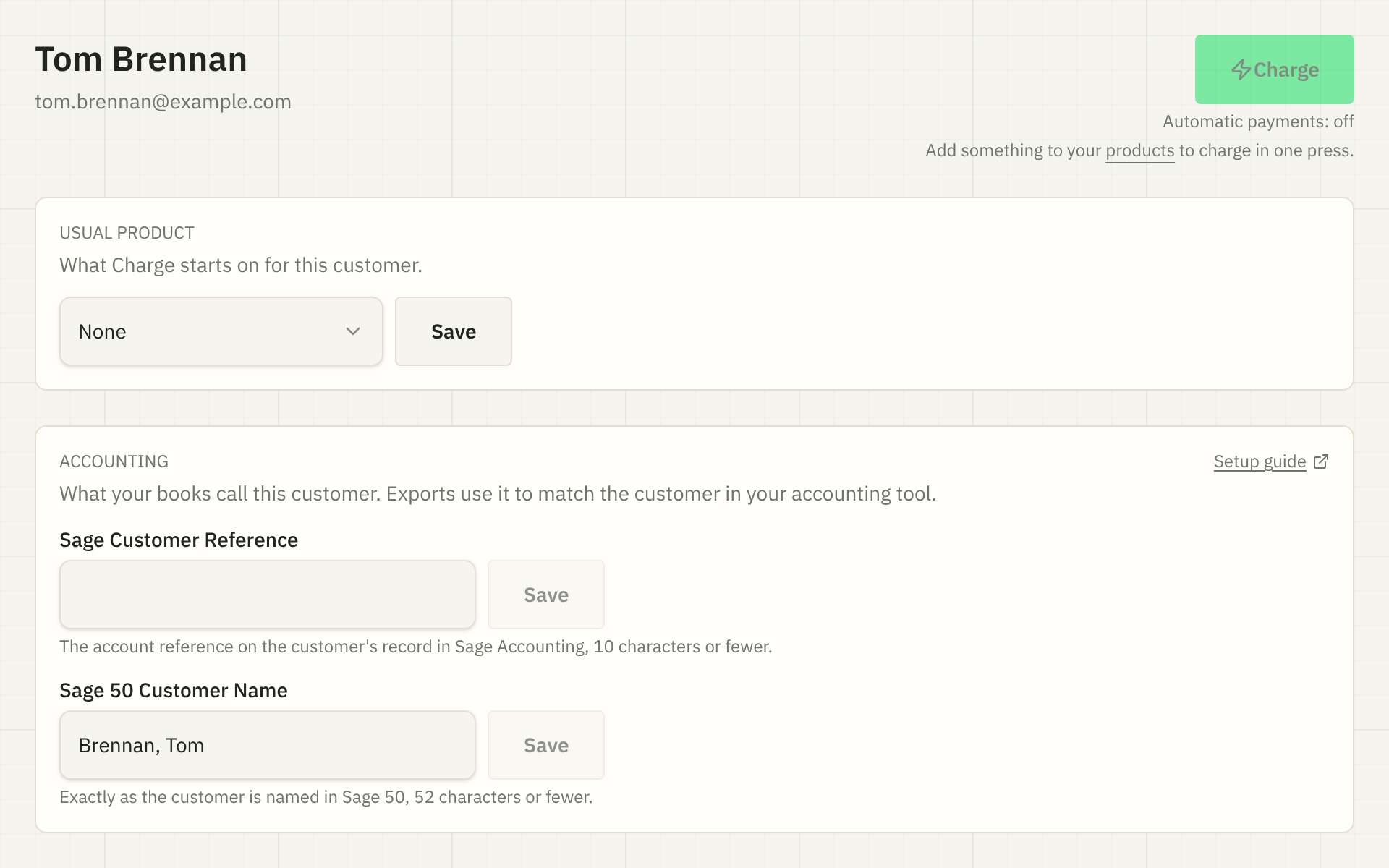
To remove one, clear the box and press Save.
The card is only on customers in your customer list. Someone who has only paid one of your invoices, without being on the list, has no card until you add them: press New customer on the Customers page and use the same email.
What to enter for your accounting software
You only need the box for the accounting software you use.
| If you use | Fill in | What to type |
|---|---|---|
| Sage Accounting | Sage Customer Reference | The account reference on the customer's record in Sage Accounting, 10 characters or fewer. |
| Sage 50 | Sage 50 Customer Name | The customer's name exactly as Sage 50 shows it, 52 characters or fewer. |
Exactly means the same spelling, the same spaces and the same punctuation. The surest way is to copy the name out of your accounting software and paste it in. Sage 50 doesn't mind capital letters, so ACME Roofing and Acme Roofing match there.
A Sage Accounting reference longer than 10 characters still saves, but your export warns you about it, because Sage Accounting references are 10 characters at most. A Sage 50 name longer than 52 characters won't save at all, because Sage 50 can't hold one that long.
When two customers share an ID
Two customers can have the same value, and sometimes that's right: two people at one company can be separate customers in handipay and one customer in your accounting software.
When you save a value another customer already has, handipay saves it and tells you who else has it. The customer's page keeps showing "Also used by" with a link to the other customer, so you can check it later. Capital letters don't count here: ACME and Acme are the same value.
If it was a mistake, change the value on one of them.
When you merge two customers, the one that's left keeps a single ID for each accounting software: the one you choose. See what a merge does.
Who can change them
Owners, accountants and managers can set, change and clear accounting IDs. Employees see them on the customer's page but can't change them.
Still stuck? Email [email protected].